

Everything in One List
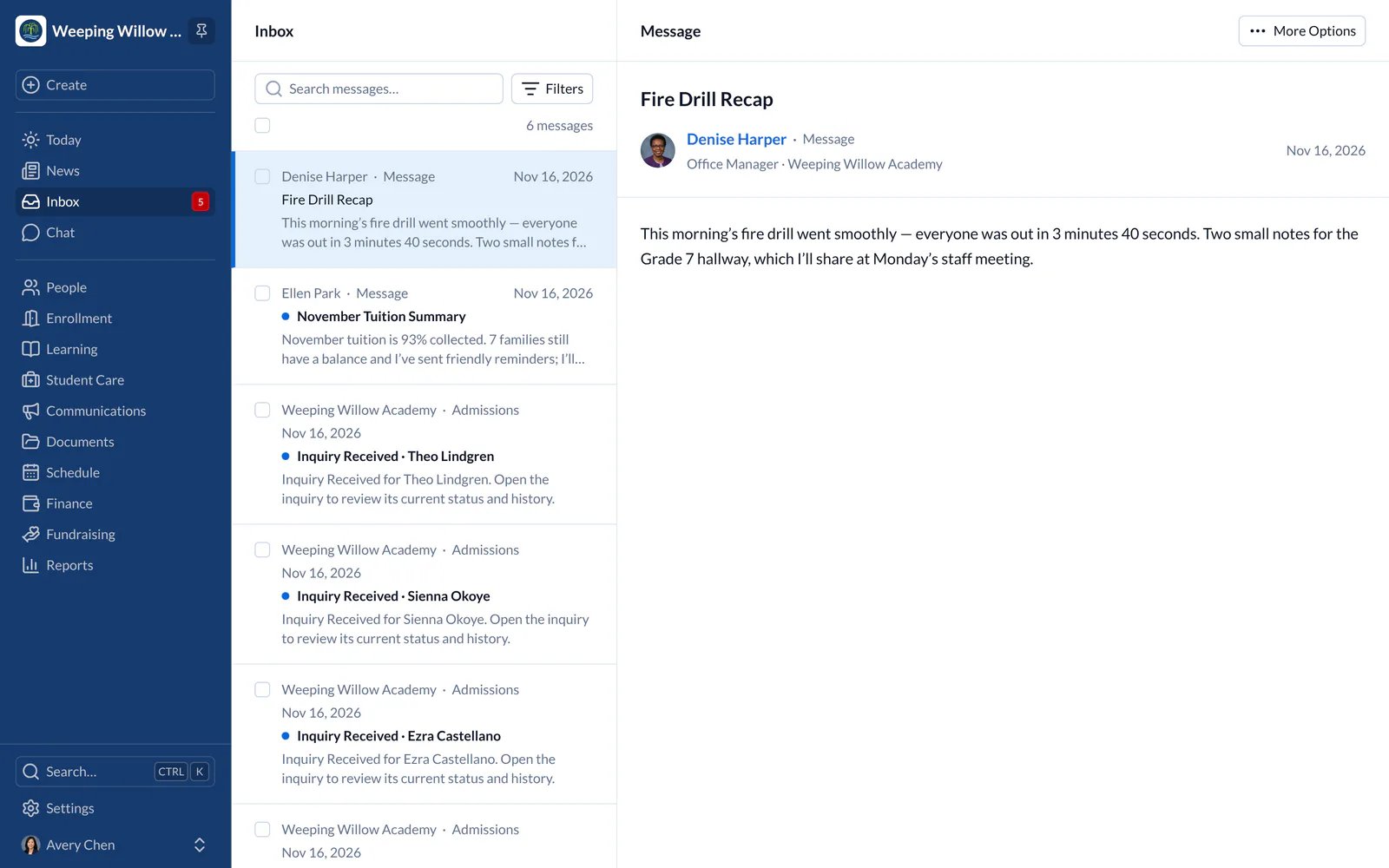
Inbox holds every message sent to you: general messages, class updates, homework and text messages. You may also get copies by email or text, depending on your notification settings, but Inbox always has the message. School news is in News.Find a Message
- Web
- iPhone and iPad
- Search by subject or sender.
- Choose Filters beside the search to show only unread messages, one type of message or one child’s messages.
- Check several messages to mark them as read or unread. The checkbox above the list checks every message shown, or clears your choice.
- New messages appear as they arrive; you don’t need to refresh.
Reply in Chat
- Web
- iPhone and iPad
When the sender allows replies, choose Reply in Chat at the end of the message. Your answer goes to a private chat with the sender or the school, and other families don’t see it. Choose Open Chat to go to the conversation.
Choose What Reaches You
- Web
- iPhone and iPad
To choose which messages also come by email or text, choose your name at the bottom of the main menu, then your name at the top of the menu that opens, then the Preferences tab.