

One Place for Each Kind of Work
- Web
- iPhone and iPad
SchoolCues groups related work together. The main menu down the left of the screen has an icon for each area, such as Inbox, Communications and Schedule; choose one to see its pages. To find something quickly, choose Search… at the bottom of the main menu and type what you’re looking for, even an old name such as TextCues, Grade Book, Easy Sign Up or Documents Box.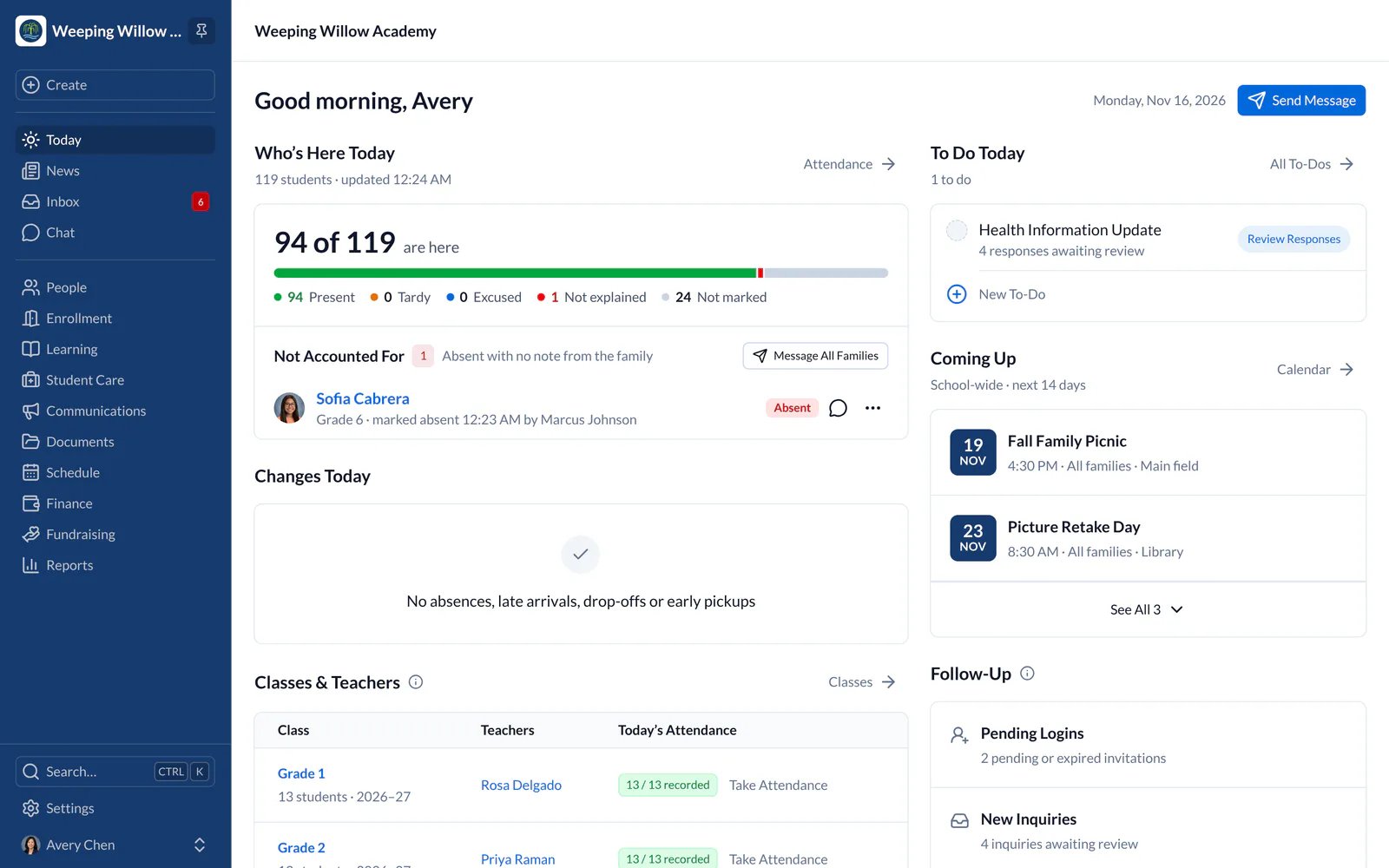
Common Moves
- Web
- iPhone and iPad
- Communications, Class Updates, Homework and TextCues are now kinds of message you send from Communications. Messages sent to you are in Inbox.
- Easy Sign Up, Service Scheduler and Parent-Teacher Conferences are now Bookings, in Schedule beside Calendar. Choose a Type to see one kind. RSVP is now part of an event: choose RSVP in its Responses.
- Documents Box is now Documents, in Communications. Meal Menu Calendar is now Meal Menus, in Schedule.
- Grade Book is now Gradebook, in Learning. Report Cards is in Learning too, with Grade Reports and Transcripts as its tabs.
- Reports holds every report you can open, grouped by area: attendance, course results, incidents, check-ins, deliveries, finance and chat.
- Student Information System (SIS) is now the Student Information tab on each student’s profile.
- Enrollments & Agreements are now Agreements. Families sign them in Forms & Agreements.
- Absentee, Tardy and Miscellaneous forms are now Family Notices, on each student’s profile.
- Donations are now Fundraising, right after Finance in the main menu, with Campaigns, Gifts, Donors and Sponsors. Ticket Sales is in Schedule, beside Events.
Staff and a Parent?
- Web
- iPhone and iPad
If you work at the school and are also a parent there, choose your name at the bottom of the main menu, then View, to switch between your staff work and your family’s view. What you’re allowed to see doesn’t change; only the layout does.